
That box of VHS tapes in the closet is not getting any younger. If you are asking what is the best VHS to digital converter, the real answer is not one single gadget. It depends on the condition of your tapes, the quality you want, and how much time and risk you are willing to take on.
For some families, a simple converter setup at home is enough to save a few home movies. For others, especially when the tapes are older, damaged, or deeply meaningful, the best choice is a professional transfer service that uses stable playback equipment and knows how to handle fragile media with care. The right answer is less about buying the flashiest device and more about protecting memories you cannot replace.
What is the best VHS to digital converter for most people?
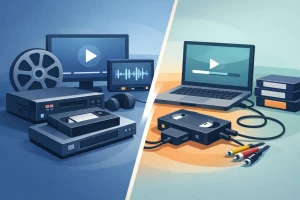
If your goal is convenience and peace of mind, the best VHS to digital converter is usually not a converter box by itself. It is a complete transfer process that includes a reliable VHS player, proper signal capture, file creation, and safe handling of the original tape.
That distinction matters. Many people search for a converter and imagine a small plug-and-play device will do the whole job. In reality, most consumer converters still need a working VCR, the right cables, software, and a computer that can recognize the hardware. Even then, the final quality depends heavily on the condition of the tape and the stability of the playback machine.
If you only have one or two tapes and they are in decent shape, a consumer converter can work. If you have a larger collection, old family recordings, wedding footage, camcorder dubs, or tapes that may be wearing out, a professional service is often the better option. That is especially true if you want to avoid dropped frames, distorted audio, tracking problems, or the stress of troubleshooting outdated equipment.
The three main VHS conversion options
USB capture devices
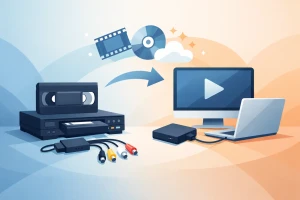
These are the most common products people mean when they ask what is the best VHS to digital converter. A USB capture device connects your VCR to a computer and records the video as a digital file.
The appeal is obvious. They are relatively affordable and easy to find. If everything works, you can create digital files at home without mailing anything out.
The trade-off is consistency. Budget capture devices can be finicky, and setup is not always simple for less technical users. Driver issues, recording software problems, audio sync trouble, and lower-than-expected image quality are all common complaints. These devices also do nothing to fix a weak VHS signal. They simply record what the VCR sends them.
VHS/DVD combo recorders
Some people use a combo deck to transfer VHS footage directly to DVD, then convert the DVD to digital files later if needed. This can be a practical middle-ground option if you already own the machine and it works well.
Still, combo units are aging too. Many are no longer made, used units vary in condition, and blank DVDs add another step. It can work, but it is not always the easiest or cleanest path to a modern digital archive.
Professional transfer services
For irreplaceable tapes, this is often the safest and most reliable choice. A professional service does not just connect a VCR to a capture box. It starts with better playback hardware, experience with tape issues, and a process designed to preserve content with fewer avoidable errors.
This is where the difference between saving a tape and preserving a memory really shows up. A service-based approach makes sense when the footage matters more than the DIY experiment.
Why the VCR matters as much as the converter
One of the biggest misunderstandings in VHS digitization is assuming the converter is the star of the show. In practice, the VCR often matters just as much, and sometimes more.
A worn or poorly aligned VCR can introduce tracking lines, unstable playback, color shifts, and muffled audio. If the tape sticks, squeals, or has already started to deteriorate, the wrong machine can make things worse. That means even a good capture device cannot fully rescue a bad transfer chain.
This is one reason families often get frustrated with DIY setups. They buy a converter, only to discover they also need a dependable VCR, compatible software, enough hard drive space, and patience for trial and error. If the tape plays badly, they may not know whether the problem is the converter, the computer, the cable, or the tape itself.
What to look for if you want to do it yourself
If you are set on handling the project at home, choose based on the full workflow, not just the product listing.
Look for a capture device with solid compatibility for your computer and operating system. Make sure it supports the video inputs your VCR uses, usually composite RCA or S-Video. If image quality matters, S-Video can be better than composite when the playback deck supports it.
You will also want recording software that is easy to use and lets you save files in a format you can actually access later. A converter that produces files you cannot easily open or share is not much help.
Most important, test your VCR before you commit to doing dozens of tapes. If the machine eats tape, plays with heavy distortion, or struggles to rewind and fast-forward, stop there. The converter is not the real problem.
When a professional transfer is the better answer
The best VHS to digital converter for a quick hobby project may be very different from the best option for family archives. If the tapes contain your children growing up, a wedding, someone who has passed away, or footage that exists nowhere else, this is where caution matters.
Professional conversion is usually worth it when tapes are old, moldy, brittle, jammed, or simply too important to risk. It also makes sense when you have many tapes and do not want to spend weekends managing software, renaming files, and repeating transfers because one recording glitched halfway through.
A trustworthy provider should explain the process clearly, handle originals carefully, and return both your media and your digital files in an organized way. That peace of mind is part of the value. At HB Media Solutions, that is exactly how the work is approached – with the understanding that these are not just tapes, but pieces of family history.
Quality questions people often miss
A lot of people focus on resolution alone. VHS is a low-resolution analog format to begin with, so no converter can truly turn it into modern high definition. A better transfer is usually about stability, accurate color, clean audio, and faithful preservation, not magical sharpness.
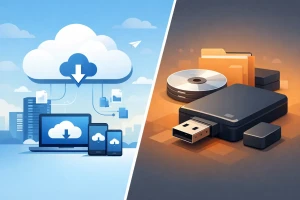
File delivery matters too. Some families want USB drives they can plug into a TV. Others want cloud-ready files they can share with children and grandchildren. Some want DVDs in addition to digital copies. The best converter choice depends on how you plan to watch, save, and share your videos after the transfer is done.
There is also the issue of tape condition. A tape that has been stored in a hot garage for years may need more than a standard playback pass. If it is shedding, warped, or damaged, handling it correctly becomes part of the preservation process.
So, what is the best VHS to digital converter really?
For casual use, a decent USB capture device paired with a well-functioning VCR can be enough. It is the budget-friendly route, and for a few non-critical tapes, it may do the job.
For most families, though, the best choice is the one that gives you the highest chance of a safe, watchable, lasting result. That usually means looking beyond the converter itself and thinking about the whole chain – the VCR, the tape condition, the recording process, and the final file delivery.
If your tapes are important, the best converter is often a professional service with the right equipment and experience to protect what is on them. That answer may not be as simple as buying a box online, but it is often the smartest way to keep memories alive without adding unnecessary risk.
The best time to convert VHS tapes is before they become a restoration project. If you have been meaning to do it for years, this is a good moment to stop wondering which device might work and start choosing the option that gives your memories the care they deserve.